

People
Section titled “People”People is the central workspace for understanding and supporting the individuals connected to your organization. Start with the job you need to complete, then use the reference sections below for the underlying data model and connected workflows.
Start with a goal
What do you want to do?
Choose the outcome that matches the work in front of you. You can come back to the deeper reference sections when you need details.
Find or update a person
Search the directory, filter records, and open a person profile to review or update their information.
Import your existing people
Bring a CSV directory into OKTO with deliberate field mapping so the new database starts clean.
Connect households
Group related people into households and maintain the relationships that matter for ministry and communication.
Move people toward next steps
Use Journeys, Engagement, planned visitors, and other connected workflows without creating separate identities.
Recommended flow
A good first workflow
- Import or create the person records your team needs.
- Resolve obvious duplicates before building more workflows on top of the directory.
- Connect household relationships and organize ministry or community groups.
- Use Journeys, Engagement, and planned-visitor workflows from the same person record.
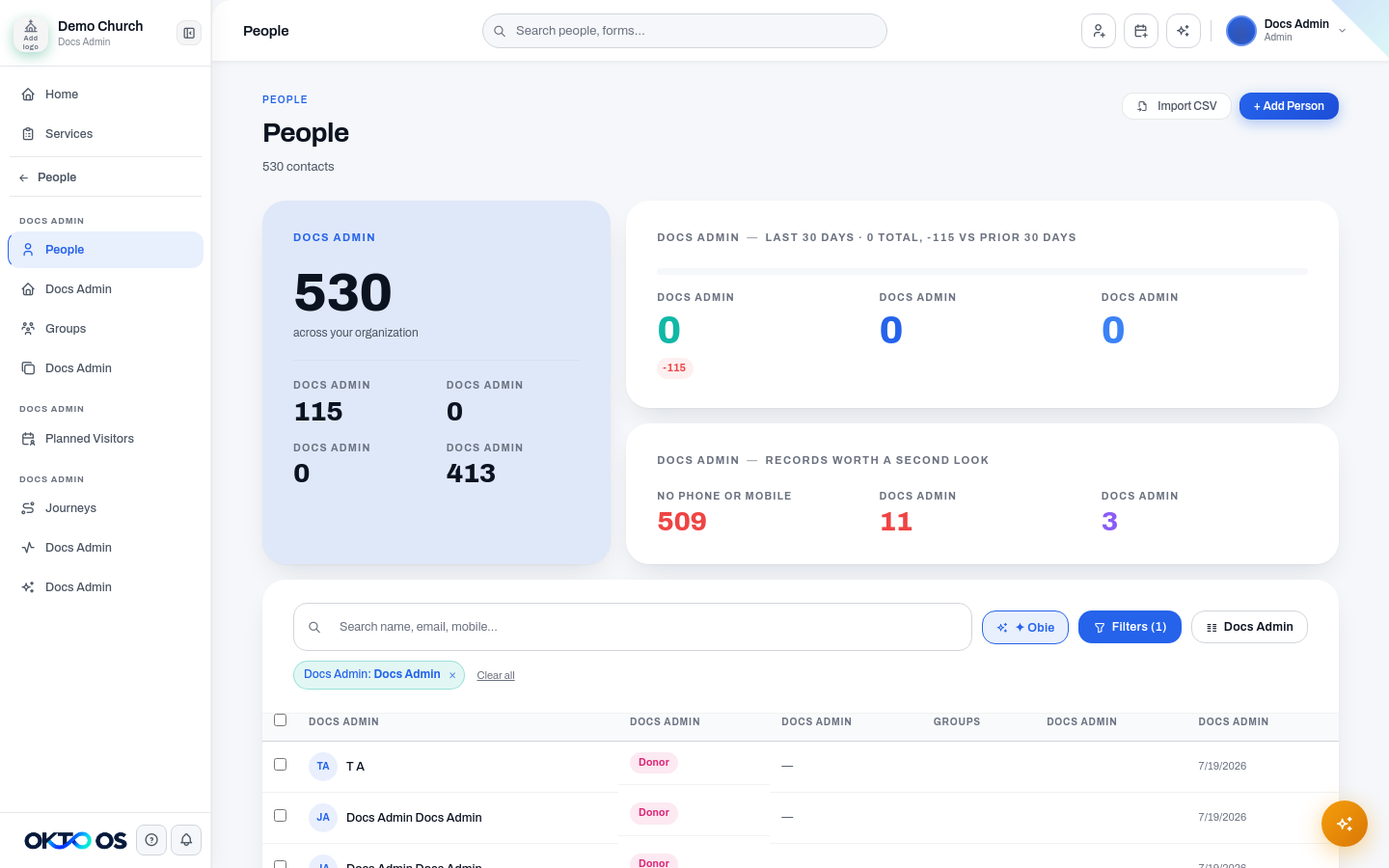
Directory
Section titled “Directory”The Directory area includes the core records used throughout OKTO:
- People — find people, search and filter the directory, and open individual profiles.
- Households — connect people who belong to the same household and manage household relationships.
- Groups — organize people into ministry, community, or operational groups.
- Duplicates — review records that may represent the same person and resolve duplicate-data issues.
Use the People Directory for directory search and filtering, Person Profiles for an individual’s record, and Households for family and household relationships.
Connections
Section titled “Connections”Planned Visitors gives staff a dedicated place to work with people who have submitted a plan-a-visit request before they arrive. This keeps visitor follow-up close to the directory instead of treating it as a separate identity system.
Growth
Section titled “Growth”The People area also connects directly to the workflows used to help people take next steps:
- Journeys — move people through defined follow-up or ministry processes.
- Engagement — review engagement signals and follow-up context.
- Spiritual Gifts — work with spiritual-gifts information connected to people.
These features use the same person records as the directory, so staff do not need to maintain separate profiles for each ministry workflow.
Compliance
Section titled “Compliance”Background Checks is available from the People area for organizations that use OKTO’s background-check workflow. Access should be limited to staff who are authorized to work with that information.
Importing people
Section titled “Importing people”Use Importing People when migrating an existing CSV directory into OKTO. Review mappings carefully before creating records so the new directory starts with clean, usable data.
One person record across OKTO
Section titled “One person record across OKTO”People data is reused throughout Groups, Journeys, Check-In, Communications, Engagement, Giving, and other OKTO modules. Keeping one authoritative person record reduces duplicate identities and gives staff a more complete view of a person’s relationship with the organization.