

App Builder
Section titled “App Builder”App Builder is the administrative workspace for shaping your organization’s member-facing mobile experience. The current builder is organized into three steps: Branding, App Builder, and Build & Deploy.
Start with a goal
What do you want to do?
Choose the outcome that matches the work in front of you. You can come back to the deeper reference sections when you need details.
Set the app brand
Start with Branding so the preview and published member experience use the organization’s intended visual identity.
Build the navigation
Add and arrange the tabs that determine what members can reach and how the app is organized.
Use guided setup
For a new app with no tabs, use the guided Obie flow to establish an initial structure or skip it and configure manually.
Build and deploy
Review the finished configuration and use Build & Deploy when the app is ready for release.
Recommended flow
A good first workflow
- Configure the organization’s app branding.
- Add and arrange the tabs members should use.
- Preview the structure and member experience as you work.
- Configure related Mobile App content on its dedicated pages when needed.
- Use Build & Deploy when the app is ready for release.
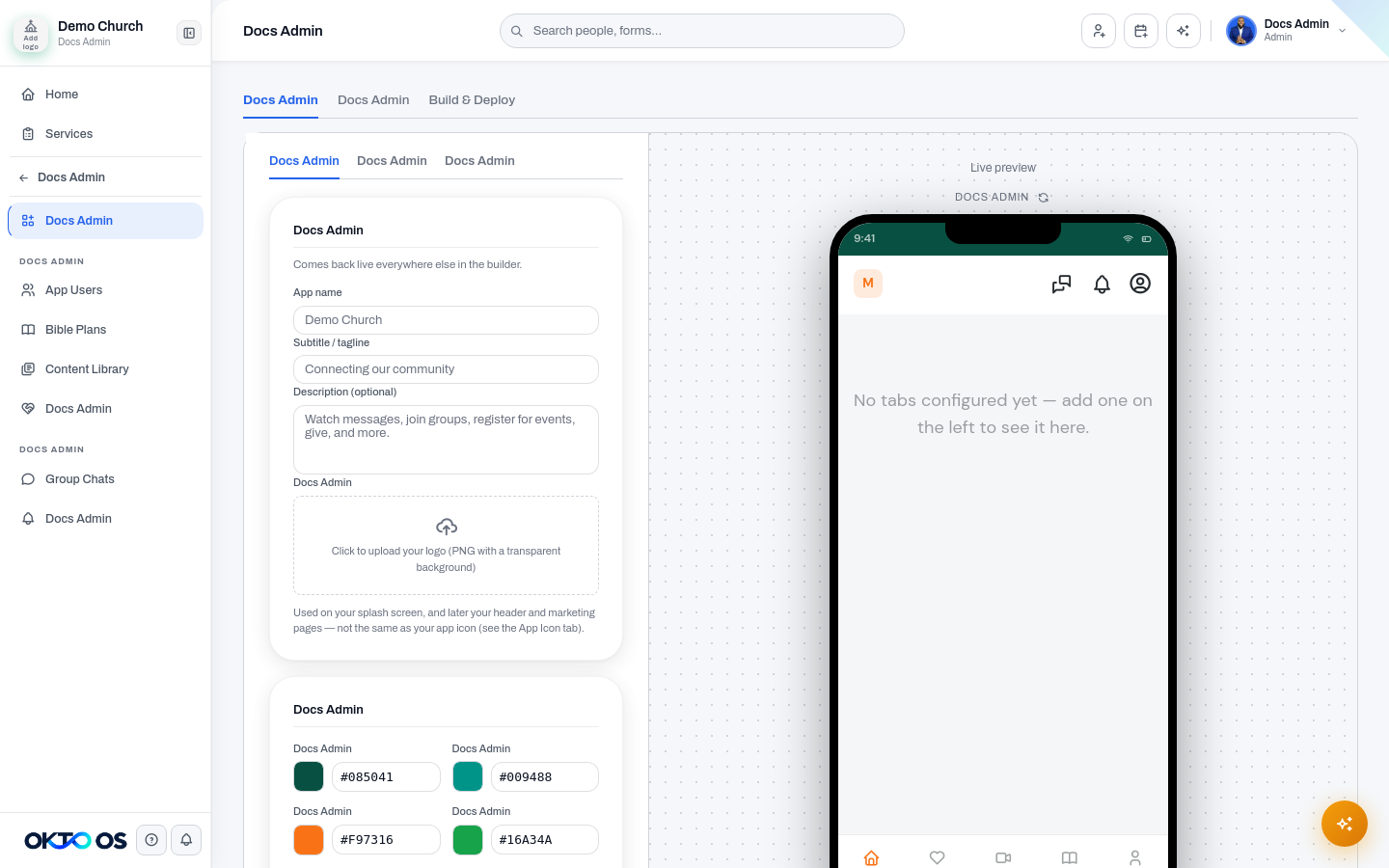
1. Branding
Section titled “1. Branding”Use Branding to manage the visual identity and app-level settings used by the member experience. Start here so the preview and published experience reflect the organization’s intended brand.
2. App Builder
Section titled “2. App Builder”Use App Builder to manage the tabs and navigation that make up the mobile experience. Tabs are the primary building blocks for deciding what members can reach from the app and how that content is organized.
For a new app with no tabs configured, OKTO can offer a guided Obie setup flow to help establish the initial structure. You can skip the guided flow and configure the app manually if you prefer.
3. Build & Deploy
Section titled “3. Build & Deploy”Use Build & Deploy after the app structure and branding are ready. This is the final step for reviewing the app configuration and managing the build/deployment workflow.
Features managed outside App Builder
Section titled “Features managed outside App Builder”Not every mobile feature is configured inside the three-step builder. Current OKTO navigation keeps several tools as independent pages under Mobile App, including:
- App Users
- Bible Plans
- Content Library
- Prayer Wall
- Group Chats
- Notifications
Media is also managed from the shared Media module rather than a separate App Builder media library. This keeps the same source content available to both staff workflows and the member-facing app.
A practical workflow
Section titled “A practical workflow”- Configure the organization’s app branding.
- Add and arrange the tabs members should use.
- Preview the structure and member experience as you work.
- Configure related Mobile App content on its dedicated pages when needed.
- Use Build & Deploy when the app is ready for release.