

Giving
Section titled “Giving”Giving brings donation activity, funds, donor records, and financial workflows into one operational area of OKTO. Start with the outcome your finance or ministry team needs, then use the reference sections below for context and controls.
Start with a goal
What do you want to do?
Choose the outcome that matches the work in front of you. You can come back to the deeper reference sections when you need details.
Review giving activity
Use the Giving dashboard and transaction views to understand recent gifts and donor activity.
Organize funds
Use funds to keep giving categories structured for operations, reporting, and donor-facing records.
Work with donor records
Connect transactions to people when appropriate while keeping financial access limited to authorized staff.
Prepare reports or statements
Use Giving and Reports & Analytics for statements, exports, and broader operational analysis.
Recommended flow
A good first workflow
- Confirm giving setup and payment connection status for the organization.
- Create or review the funds your team uses to organize gifts.
- Review transactions and connect donor activity to the appropriate person records when needed.
- Use statements, exports, and Reports & Analytics for finance and ministry reporting.
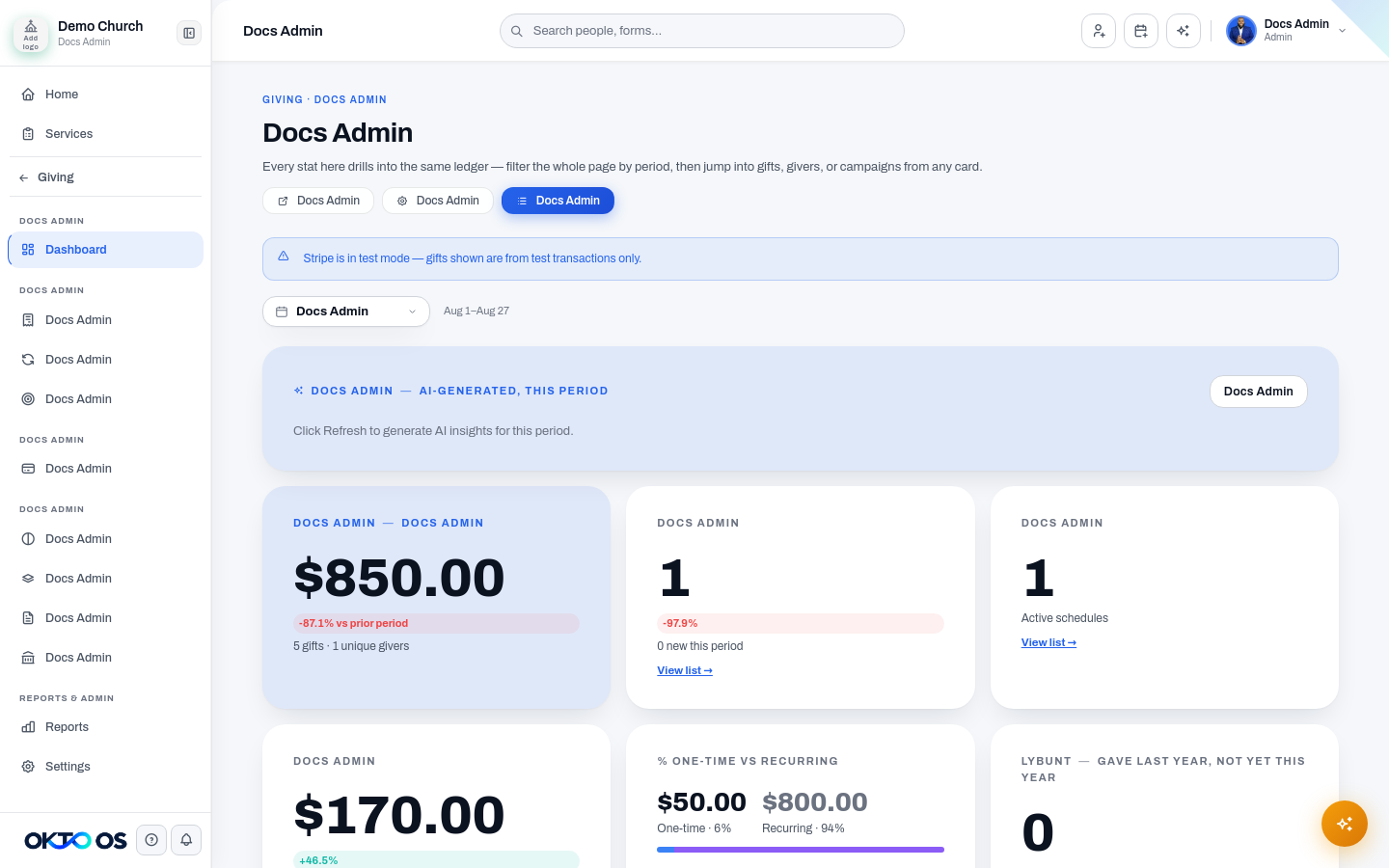
Review giving activity
Section titled “Review giving activity”The Giving workspace brings together the core information needed to understand donation activity, including transactions, donor history, recurring giving when supported by the configured payment flow, pledges or campaigns when enabled, and payout or reporting views available to your organization.
Funds and giving structure
Section titled “Funds and giving structure”Use funds to organize giving into the categories your organization needs for operations and reporting. Fund structure should be deliberate enough to support finance workflows without creating unnecessary fragmentation for donors or staff.
People and Giving
Section titled “People and Giving”When a transaction is associated with a person, giving can contribute to that person’s history and to approved engagement signals. Financial details should remain restricted to team members whose role permits access.
Statements and reporting
Section titled “Statements and reporting”Giving can support donor-facing statements, giving records, reports, and exports. Use Reports & Analytics when you need broader analysis that combines giving data with other operational information.
The documentation intentionally avoids carrying forward historical pricing or payment-provider assumptions; the canonical workflow is organized around the capabilities available in the current OKTO organization.