

Events
Section titled “Events”Events is OKTO’s workspace for planning and operating church events from setup through attendance and follow-up. Start with the part of the event lifecycle you are working on, then use the reference sections below for the details.
Start with a goal
What do you want to do?
Choose the outcome that matches the work in front of you. You can come back to the deeper reference sections when you need details.
Create a new event
Set the schedule, location, registration behavior, capacity, and other details that shape the public and staff experience.
Manage upcoming events
Use Event Manager to search, filter, duplicate, and work with upcoming, past, draft, or cancelled events.
Build the operational plan
Use Event Plans to keep execution details separate from the public registration record while staying inside the same module.
Run event check-in
Use Events → Check-In for attendance workflows tied to a specific event.
Recommended flow
A good first workflow
- Create the event and confirm its schedule, location, registration, and capacity settings.
- Publish or manage the event from Event Manager and duplicate an existing event when that saves setup time.
- Build the operational Event Plan for staff and volunteers.
- Run event check-in, then use the event record for attendance and follow-up context.
Event Manager
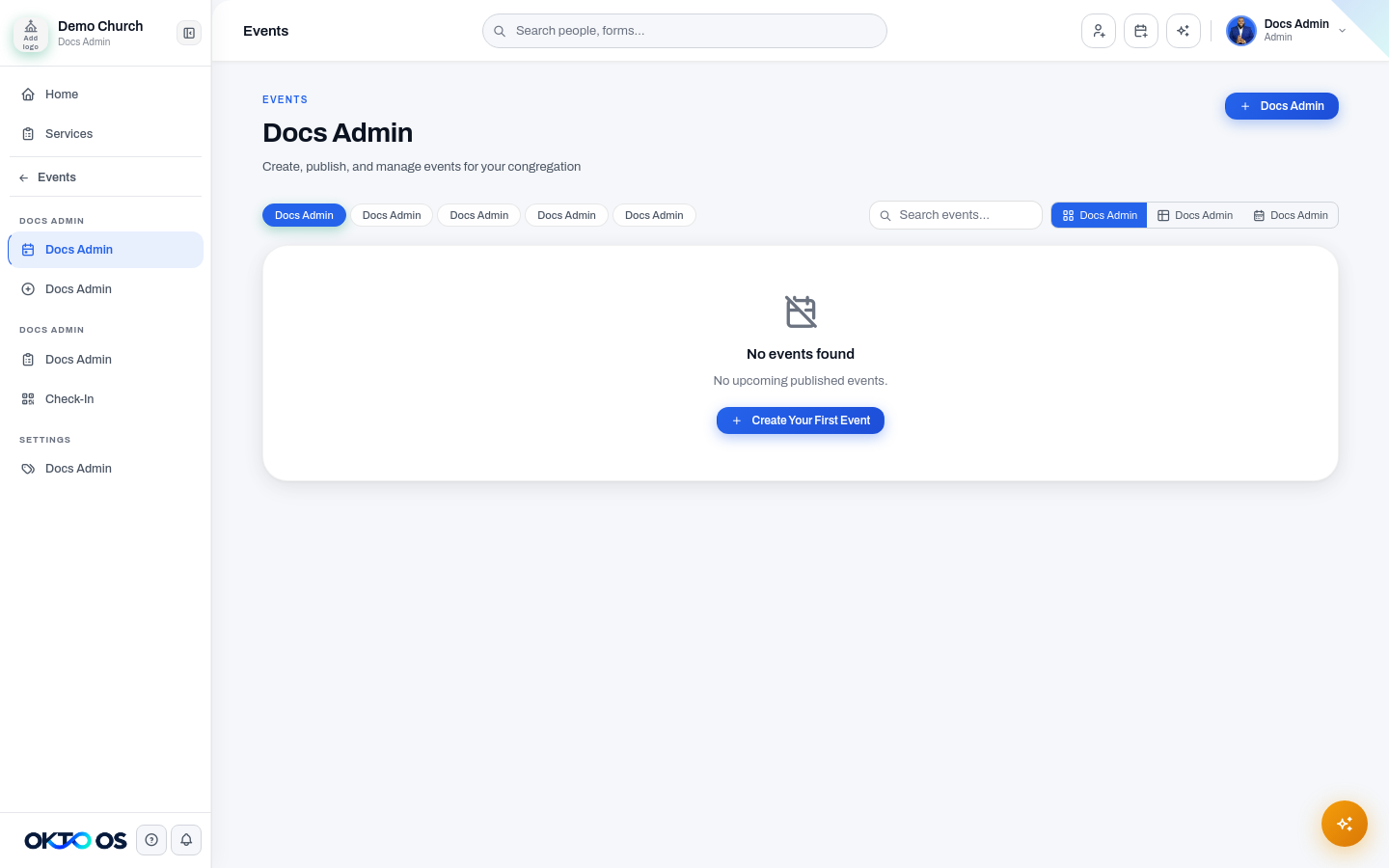
Section titled “Event Manager”Use Event Manager to find and manage existing events. Events can be filtered by status, including Upcoming, Past, Draft, Cancelled, and All, and searched by title.
The manager supports multiple ways to work with the calendar:
- Grid for a visual event-card view.
- Table for a more compact operational view.
- Calendar for week or month planning.
You can also duplicate an existing event when a new event should start from similar details rather than being rebuilt from scratch.
Create Event
Section titled “Create Event”Use Create Event to set up a new event and define the information needed for its public and administrative workflows. Event configuration can include details such as schedule, location, registration behavior, capacity, and payment settings when those options are used.
Event Plans
Section titled “Event Plans”Use Event Plans for the operational plan connected to an event. This keeps event execution planning separate from the public registration record while still living inside the Events module.
Check-In
Section titled “Check-In”Use Events → Check-In for event attendance workflows. For broader check-in configuration, rooms, or kids experiences, use the dedicated Check-In module.
Categories
Section titled “Categories”Use Categories to organize events into reusable classifications that make event management and filtering more consistent.
Public event experience
Section titled “Public event experience”Published events are available through OKTO’s public event experience. Public routes support the event listing, individual event details, and event-balance payment flows without requiring access to the staff workspace.